 MADE IN USA



How Print Media Affects Color
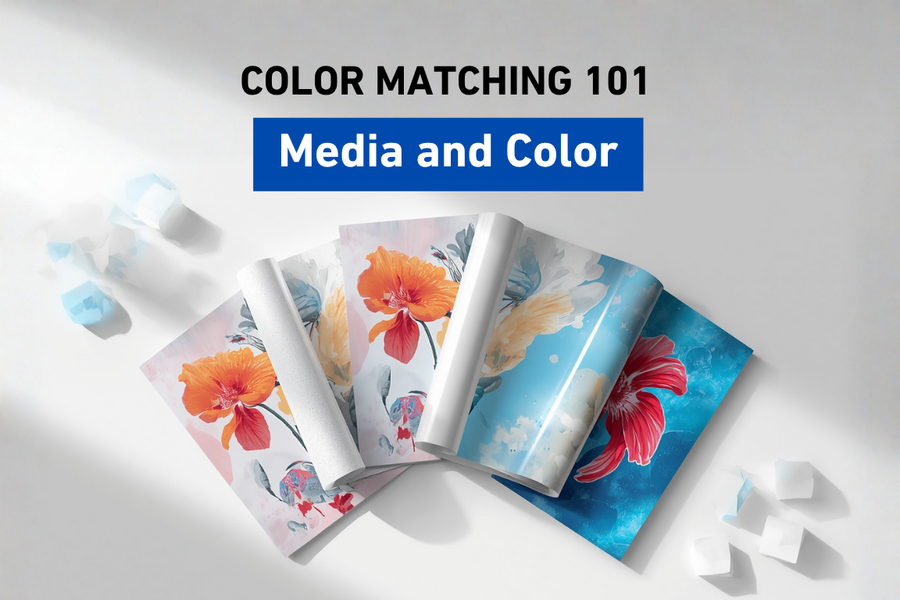
Why the Same Design Can Look Different on Different Materials
Imagine printing the exact same design twice using the same printer, the same inks, and the same settings. Everything about the job is identical except for one thing: the material you're printing on. Surprisingly, the finished prints may look noticeably different. Understanding why this happens is an essential part of building a reliable color management workflow.
Understanding Media Basics
It's Not Just the Printer
In fact, many printers get blamed for color problems that are really caused by the material underneath.
Imagine you're baking your favorite chocolate cake.
You use the same recipe, the same ingredients, and the same oven every time. One day you bake it in a metal pan, the next day in a glass pan, and another time in a silicone mold.
Even though nothing else changed, the cakes don't come out exactly the same.
Printing works in much the same way.
You can use the same printer, the same ink, the same artwork, and the same settings, yet the finished colors may still look different simply because the media changed.
For many people entering digital printing, this comes as a surprise.
They assume color depends entirely on the printer or the ink.
In reality, the media plays an equally important role.
What Is Print Media?
To begin with, it helps to define exactly what media means in digital printing.
In digital printing, media refers to the material that receives the printed image.
Depending on the application, media might include:
- DTF film
- Vinyl
- Paper
- Canvas
- Fabric
- Acrylic
- Wood
- Glass
- Aluminum
- PVC
- Corrugated board
- Labels
- Packaging materials
Each material has its own physical characteristics, and those characteristics influence how color appears once the ink is applied.
Why Media Changes Color
Why Does Media Change Color?
As a result, the same ink can look completely different depending on what it lands on.
The simple answer is that every material interacts with ink and light differently.
Some materials absorb more ink.
Others keep the ink closer to the surface.
Some reflect a great deal of light, while others scatter it.
Those differences affect how our eyes perceive the finished print.
The printer hasn't changed.
The ink hasn't changed.
The media has.
Surface Texture Makes a Difference
For instance, texture alone can change how light reflects off a printed surface.
Take a close look at two sheets of paper.
One has a smooth glossy finish.
The other has a rough matte texture.
Even before printing, they reflect light differently.
After printing, those differences become even more noticeable.
Glossy materials often produce:
- Richer blacks
- Higher contrast
- More vibrant colors
- Greater visual depth
Matte materials often produce:
- Softer colors
- Reduced glare
- More subtle contrast
- A natural appearance
Neither is better.
Each simply creates a different visual effect.
Choosing between them depends on the intended application.
Media Properties That Affect Color
Absorption Changes Everything
Additionally, how a material absorbs ink plays a major role in the final color.
Imagine pouring a drop of water onto a paper towel.
Now pour the same drop onto a piece of glass.
The paper towel quickly absorbs the water.
The glass does not.
Ink behaves in a similar way.
Some materials absorb ink deeply.
Others allow it to remain close to the surface.
This influences:
- Color density
- Sharpness
- Drying behavior
- Dot gain
- Overall appearance
Understanding how your media handles ink helps produce more predictable results.
Brightness and Whiteness Matter
Similarly, the brightness of your media can shift how vibrant your colors appear.
Not all "white" media is actually the same shade of white.
Some materials have a cool bluish appearance.
Others appear warm or creamy.
Some contain optical brightening agents that make the material appear brighter under certain lighting conditions.
Because printed colors interact with the color of the material underneath, the same design may look slightly different on two different brands of media.
This is one reason professional print providers often remain consistent with the media they use for repeat customers.
Coatings and Color Profiles
Coatings Influence Color
Furthermore, coatings added to a material can change how ink sits on the surface.
Many print media include specialized surface coatings.
These coatings are designed to improve:
- Ink adhesion
- Drying performance
- Durability
- Print sharpness
- Scratch resistance
They also influence how ink spreads across the surface.
Even two materials that appear similar can produce noticeably different color because of differences in their coatings.
That's one reason manufacturers develop media-specific ICC profiles.
Why ICC Profiles Are Media Specific
Consequently, a single ICC profile rarely works well across different materials.
Back in Episode 3, we introduced ICC profiles as translators between devices.
One important detail is that many ICC profiles are built for a specific combination of:
- Printer
- Ink
- Resolution
- Print mode
- Media
Change the media and you've changed one of the most important variables in the workflow.
Using an ICC profile designed for glossy vinyl on matte paper may produce acceptable results, but it probably won't produce the most accurate color possible.
That's why professional workflows often maintain separate profiles for each commonly used material.
Choosing and Testing the Right Media
Different Applications Have Different Needs
Overall, the right media depends heavily on the specific application you are printing for.
The "best" media depends entirely on the project.
For example:
A museum-quality art reproduction may prioritize color accuracy and texture.
A retail window graphic may emphasize brightness and durability.
A DTF transfer needs reliable ink release and powder adhesion.
A package prototype may require colors that closely match the final production materials.
Understanding the purpose of the print helps guide media selection.
Consistency Is More Important Than Experimentation
In short, sticking with proven materials often matters more than experimenting.
Trying new materials can be exciting, but constantly changing media introduces additional variables into your workflow.
If you're printing the same customer's branding month after month, switching to a different media without testing may produce noticeable color changes.
Consistency helps create repeatable results.
That's one reason many successful print shops standardize on trusted media for their most common applications.
Environmental Factors and Testing
Environmental Conditions Also Affect Media
Meanwhile, humidity and temperature can also influence how media performs.
Media doesn't exist in isolation.
Temperature and humidity can influence how materials behave before, during, and after printing.
For example:
- Paper can absorb moisture from the air.
- Vinyl may expand or contract slightly.
- Fabric can respond differently depending on humidity.
- Certain coatings may react differently under changing environmental conditions.
Proper storage helps maintain consistent media performance.
Many manufacturers recommend storing media in a controlled environment and allowing it to acclimate before use.
Testing Before Production Saves Time
Therefore, testing new media before a full production run is always worth the time.
Imagine receiving a large order for hundreds of prints.
Would you rather discover a color issue after printing one sample or after completing the entire production run?
Testing is one of the most valuable habits in professional printing.
A simple proof can verify:
- Color accuracy
- Media compatibility
- Print quality
- Drying performance
- Customer expectations
Spending a few minutes testing often saves hours of rework later.
Bringing It All Together
Media Is Part of the Color Management System
Ultimately, media is just as much a part of your color workflow as your printer or ink.
It's easy to think of media as just another consumable.
In reality, it is one of the most influential components of the entire color workflow.
Successful color management depends on balancing:
- The artwork
- The monitor
- ICC profiles
- RIP software
- Printer calibration
- Ink
- Media
- Environmental conditions
When all of these work together, achieving consistent color becomes much easier.
Why Understanding Media Matters
Indeed, understanding your media helps you avoid costly surprises later.
Whether you're producing apparel, signage, promotional products, packaging, labels, or specialty graphics, the material you print on has a direct impact on the final result.
Understanding how media influences color helps reduce surprises, improve consistency, and create more predictable production workflows.
At STS Inks, we know that reliable color doesn't depend on a single component. It comes from understanding how inks, media, equipment, and workflow all work together. That's why we believe Color is in Our DNA.
Wrapping Up
Conclusion
In summary, print media plays a bigger role in color accuracy than most people realize.
Print media does much more than support the image. It actively influences how color is reproduced, perceived, and maintained throughout production.
By understanding how different materials interact with ink and light, print providers can make better decisions, select appropriate ICC profiles, and build workflows that consistently produce high-quality results.
The more you understand your media, the more confidence you'll have in your color.
Key Takeaways
Finally, here are the key points worth remembering from this episode.
- Different media can produce different colors even when everything else remains the same.
- Surface texture, coatings, absorption, and brightness all influence color reproduction.
- ICC profiles are often created for specific media to maximize color accuracy.
- Consistent media selection improves repeatability and reduces unexpected color shifts.
- Testing before production helps verify color and avoid costly reprints.
Frequently Asked Questions
Why does the same image look different on different materials?
Each material absorbs ink and reflects light differently, which changes how colors appear to the human eye.
Do I need a different ICC profile for each media?
Many professional workflows use media-specific ICC profiles because each material reproduces color differently.
Does glossy media always produce better color?
Not necessarily. Glossy media often produces more vibrant colors, while matte media reduces glare and may be better suited for certain applications.
Can changing media affect brand colors?
Yes. Even small differences in media brightness, coatings, or texture can influence the appearance of brand colors.
Why should I test new media before production?
Testing helps confirm color accuracy, print quality, compatibility, and customer expectations before beginning a full production run.
Does media affect print durability as well as color?
Yes. Different materials and coatings can influence adhesion, scratch resistance, outdoor durability, and overall print performance.
Should I always use the same media for repeat jobs?
Whenever possible, using the same media helps maintain consistent color and repeatable production results.
Quick Definitions
Media: The material that receives the printed image.
Substrate: Another term commonly used for the surface or material being printed.
Media Profile: An ICC profile developed for a specific media, printer, and ink combination.
Optical Brightening Agents (OBAs): Additives used in some papers and films to make them appear brighter under certain lighting conditions.
Proof: A sample print used to verify color and quality before full production.
Next Episode
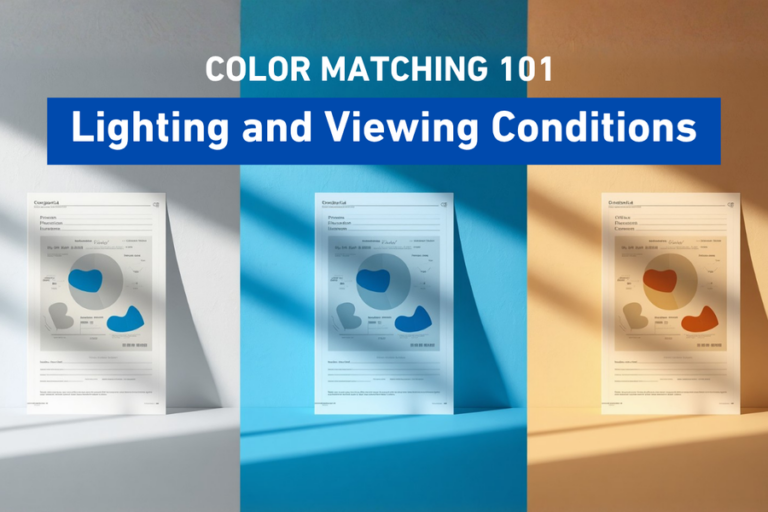
Episode 8: Why Lighting Changes Everything
Have you ever looked at a print indoors and thought it looked perfect, only to see it outside and notice the colors seemed completely different? In the next episode, we'll explore how lighting affects color perception, why viewing conditions matter, and how professionals evaluate color consistently.