 MADE IN USA




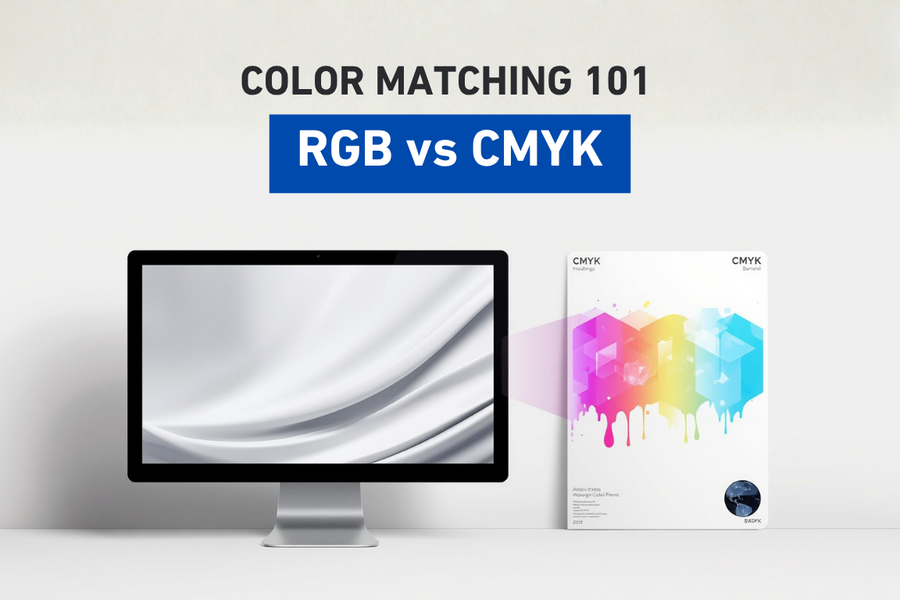
RGB vs CMYK
Why Your Printed Colors Don't Always Match Your Screen
One of the most common questions in digital printing is, "Why doesn't my print look like my monitor?" The answer begins with understanding two fundamentally different ways of creating color: RGB and CMYK. While they often work together in the same workflow, they produce color using entirely different methods. Understanding these differences is essential for achieving predictable, repeatable color in digital printing.
RGB vs. CMYK: Two Different Languages of Color
In Episode 1, we introduced the concept of color matching and explained why consistency is more important than chasing "perfect" color. One of the biggest reasons colors change throughout the print workflow is that digital displays and printers speak different color languages.
A computer monitor, smartphone, or tablet creates color using light. A printer creates color using ink.
Although both can produce millions of colors, they do so using completely different processes. If those differences aren't understood and managed properly, the final print may not look like what was expected on screen.
Understanding RGB and CMYK is one of the first building blocks of effective color management.
What Is RGB?
How Digital Displays Create Color
RGB stands for:
- Red
- Green
- Blue
RGB is known as an additive color model, meaning colors are created by adding different amounts of colored light together.
Imagine a completely dark room.
As you shine red, green, and blue spotlights onto the same wall, the colors combine to create new colors.
For example:
- Red + Green = Yellow
- Green + Blue = Cyan
- Blue + Red = Magenta
- Red + Green + Blue (at full intensity) = White
- No light = Black
This is exactly how electronic displays create color.
Every pixel on your monitor contains tiny red, green, and blue light sources that change intensity thousands of times every second.
Because RGB uses emitted light, displays can produce extremely bright, vibrant, and saturated colors.
Where Is RGB Used?
RGB is the standard color space for devices that emit light, including:
- Computer monitors
- Laptops
- Smartphones
- Tablets
- Televisions
- Digital cameras
- Projectors
- LED displays
If you're viewing an image on a screen, you're almost certainly looking at RGB.
Design software such as Adobe Photoshop, Adobe Illustrator, and CorelDRAW often begin projects in RGB because most artwork is created and viewed digitally before it is ever printed.
What Is CMYK?
The Subtractive Color Model
CMYK stands for:
- Cyan
- Magenta
- Yellow
- Key (Black)
Unlike RGB, CMYK is a subtractive color model.
Instead of creating color with light, CMYK creates color by placing inks on media that reflects ambient light back to our eyes.
Think of a blank white sheet of paper.
White paper reflects nearly all visible light.
As cyan, magenta, and yellow inks are applied, they absorb certain wavelengths of light while reflecting others.
The reflected light determines the color we see.
Unlike RGB:
- No ink = White paper
- More ink = Darker colors
- Cyan + Magenta = Blue
- Magenta + Yellow = Red
- Cyan + Yellow = Green
A fourth ink, black (K), is added to improve shadow detail, increase contrast, produce cleaner text, and reduce ink usage.
Why Isn't Black Made from CMY Alone?
Technically, combining cyan, magenta, and yellow should create black.
In reality, it usually produces a muddy dark brown or gray.
Adding a dedicated black ink provides several advantages:
- Sharper text
- Better shadow detail
- Improved contrast
- Lower ink consumption
- More neutral grayscale images
- Better overall print quality
This is why nearly every commercial printer uses four-color process printing instead of relying solely on cyan, magenta, and yellow.
RGB Can Produce Colors That CMYK Cannot
The Limits of the CMYK Gamut
One of the biggest reasons screen colors change when printed is that RGB has a larger color gamut than CMYK.
A color gamut is simply the range of colors a device can reproduce.
Because monitors emit light, RGB can display extremely vivid colors such as:
- Electric blue
- Neon green
- Bright cyan
- Intense violet
- Fluorescent orange
Printers cannot reproduce many of these colors using standard CMYK inks.
When artwork contains colors outside the printable CMYK gamut, software must convert those colors to the closest printable equivalent.
This conversion is one of the primary reasons prints may appear less vibrant than the image displayed on a monitor.
In Episode 3, we'll explore how ICC profiles help manage these conversions.
Why Does My Print Look Duller Than My Screen?
This is perhaps the most common question in digital printing.
Several factors contribute to the difference:
Your Monitor Emits Light
Displays create bright, luminous colors because they generate light directly.
Prints rely entirely on reflected ambient light.
Without light reflecting off the media, printed colors cannot be seen.
RGB Has a Larger Color Gamut
Some colors visible on a monitor simply cannot be reproduced with CMYK inks.
The printing system automatically substitutes the closest possible color.
Different Media Reflect Light Differently
The same printer may produce noticeably different colors on:
- Gloss vinyl
- Matte paper
- Cotton fabric
- Polyester
- Canvas
- Backlit film
Media plays a major role in perceived color.
Monitor Settings Vary
Many displays are intentionally set to high brightness and vivid color modes, making artwork appear more saturated than it will in print.
Professional designers often calibrate their monitors to better represent expected print output.
Why Designers Should Think About Print Early
Many color issues begin before printing even starts.
Designers frequently create artwork using highly saturated RGB colors that look excellent on screen but fall outside the printable CMYK range.
When the artwork is eventually printed, those colors must be adjusted automatically.
This can lead to unexpected changes in appearance.
Whenever possible, artwork intended for commercial printing should be designed with the final print process in mind.
Understanding the capabilities and limitations of CMYK helps avoid surprises later in production.
How RGB and CMYK Work Together
Although they are different color systems, RGB and CMYK are not competitors.
They are partners.
A typical print workflow looks something like this:
- Artwork is created on an RGB monitor.
- Design software displays RGB colors.
- The file is processed by RIP software.
- Color information is translated for the printer.
- ICC profiles help maintain color consistency.
- The printer reproduces the closest achievable CMYK colors on the selected media.
Each stage requires accurate color communication to produce consistent results.
If any step is incorrect, colors may shift unexpectedly.
Why Color Conversion Isn't "Wrong"
Some people assume that if a printed color differs from the screen, something must have gone wrong.
In many cases, nothing is actually wrong.
The printer may simply be reproducing the closest physically possible version of a color that exists outside its printable range.
Understanding this distinction helps set realistic expectations.
Rather than trying to make every print identical to a backlit display, professional color management focuses on producing the most accurate and repeatable print possible within the capabilities of the printing system.
The Role of Color Management
Tools for Consistent Color
RGB and CMYK are only the beginning.
Professional print shops use additional tools to ensure predictable color, including:
- Calibrated monitors
- ICC profiles
- Spectrophotometers
- RIP software
- Printer linearization
- Media profiling
- Environmental controls
Together, these tools help ensure that colors remain as consistent as possible from screen to print.
We'll explore many of these topics throughout the Color Matching 101 series.
Why This Matters in Real Production
Whether you're producing custom apparel, vehicle wraps, promotional products, packaging, signage, labels, or specialty graphics, understanding RGB and CMYK helps reduce costly mistakes.
It allows designers, operators, and production managers to:
- Set realistic customer expectations
- Reduce unnecessary reprints
- Improve workflow efficiency
- Achieve better color consistency
- Produce more predictable results across multiple jobs
At STS Inks, we believe successful color reproduction begins with understanding the entire workflow. From artwork preparation to ink formulation and print production, every step contributes to repeatable, reliable results. That's why Color is in Our DNA.
Conclusion
Bringing It All Together
RGB and CMYK are two different methods of creating color, each designed for a specific purpose.
RGB uses light to create vibrant colors on digital displays.
CMYK uses ink to reproduce those colors on physical media.
Because these systems create color differently, some variation between screen and print is expected. Understanding those differences allows print professionals to make informed decisions, prepare artwork more effectively, and build workflows that produce consistent, repeatable results.
Mastering RGB and CMYK is the first step toward understanding the broader world of color management.
Key Takeaways
- RGB creates color using red, green, and blue light, while CMYK creates color using cyan, magenta, yellow, and black ink.
- RGB has a larger color gamut than CMYK, which is why some screen colors cannot be reproduced exactly in print.
- Printed colors rely on reflected light, while digital displays emit light directly.
- Understanding RGB and CMYK helps reduce unexpected color shifts and improves workflow efficiency.
- Effective color management bridges the gap between digital artwork and printed output.
Frequently Asked Questions
What does RGB stand for?
RGB stands for Red, Green, and Blue. It is the color model used by digital displays to create color using light.
What does CMYK stand for?
CMYK stands for Cyan, Magenta, Yellow, and Key (Black). It is the color model used by most commercial printers.
Why do printed colors look different from my screen?
Screens emit light using RGB, while printers reproduce color with CMYK inks on physical media. Because these systems create color differently and have different color gamuts, some variation is expected.
Professional designers often calibrate their monitors to better represent expected print output.
Should I design in RGB or CMYK?
It depends on the final output. Projects intended only for digital viewing are typically created in RGB. Projects intended for print should be prepared with the limitations of CMYK in mind to help avoid unexpected color shifts.
What is a color gamut?
A color gamut is the range of colors that a device or printing system can reproduce. RGB displays generally have a larger gamut than standard CMYK printing.
Why is black represented by the letter K instead of B?
The letter K stands for "Key," referring to the key printing plate used in traditional four-color process printing. Using K also avoids confusion with the B in RGB, which represents blue.
Can CMYK reproduce every RGB color?
No. Some highly saturated RGB colors, especially neon and fluorescent tones, fall outside the printable CMYK gamut and must be converted to the closest achievable color.
Quick Definitions
RGB: An additive color model that uses red, green, and blue light to create color on digital displays.
CMYK: A subtractive color model that uses cyan, magenta, yellow, and black inks to reproduce color in print.
Additive Color: A method of creating color by combining light.
Subtractive Color: A method of creating color by absorbing and reflecting light with inks or pigments.
Color Gamut: The complete range of colors that a device or printing process can reproduce.
Next Episode
Episode 3: Understanding ICC Profiles
Now that you understand why screens and printers produce color differently, the next step is learning how color is translated between them. In Episode 3, we'll explore ICC profiles, what they do, how they work behind the scenes, and why they're one of the most important tools for achieving accurate, repeatable color in digital printing.